
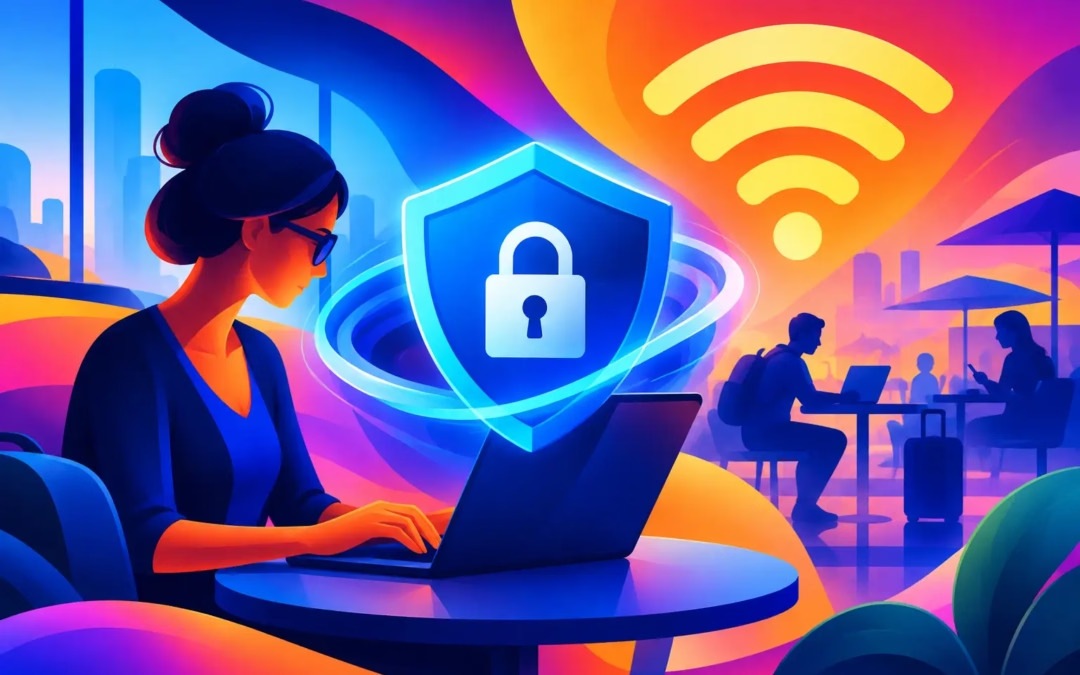
A coffee shop WiFi password printed on a receipt may feel harmless, but the network behind it is still shared with strangers. That is where the best VPN for public WiFi earns its place: it creates an encrypted tunnel between your device and the internet, so your browsing activity is far harder for snoops to read or steal. Whether you are checking your bank balance at an airport, answering work emails in a hotel lobby, or streaming on a train, public hotspots should never be treated like your private home network.
A VPN is not a magic invisibility cloak, and it cannot protect you if you hand your password to a fake website. But it is one of the most practical ways to put a digital shield around your connection when the network itself is outside your control.
Why Public WiFi Needs Extra Protection
Public WiFi is designed for convenience, not personal security. A café, airport, library, or hotel may have basic protections in place, but you cannot see who operates the network, who else is connected, or whether the hotspot name is legitimate. Criminals can create lookalike networks with names such as “Airport Free WiFi” or “Guest Network” and wait for travelers to connect.
Even on a genuine hotspot, your traffic may be exposed to risks that do not exist on a trusted home network. Someone on the same network may attempt to intercept unencrypted activity, monitor device traffic, or direct users toward malicious pages. Websites that use HTTPS add valuable protection, but they do not hide every detail about your connection and they do not replace a VPN.
A quality VPN encrypts data leaving your device before it travels across the local hotspot. Instead of allowing the WiFi network to see a readable version of your activity, it sees encrypted traffic headed to the VPN server. Your IP address is also masked, giving websites and trackers less information about your location and connection.
What Makes the Best VPN for Public WiFi?
The right service should make protection easy enough to use every time you connect. A VPN that is technically impressive but confusing, slow, or limited to one device is less likely to protect you when it matters. Look past flashy promises and focus on the features that affect your daily security.
Strong encryption is non-negotiable
Encryption is the core of VPN protection. Look for 256-bit encryption, a standard widely used to protect sensitive information. It scrambles your connection data so that a person attempting to watch traffic on the same hotspot sees meaningless encrypted information rather than the pages you visit or the details you send.
Strong encryption matters most when you are signing in to accounts, sending messages, shopping, or accessing files. It gives you a much safer route through a network you do not own or manage.
A kill switch protects you when connections drop
Public WiFi is known for weak signals and sudden disconnects. You may move between airport terminals, lose hotel coverage in an elevator, or watch a café network disappear when you step outside. If the VPN drops for a moment and your device reconnects normally, your real IP address and unencrypted traffic could be exposed.
A kill switch helps prevent that gap. When the VPN connection fails, it blocks internet traffic until the protected connection is restored. This is a small feature with a big job: it stops a brief network hiccup from becoming a privacy leak.
A no-log policy supports real privacy
Encryption protects your traffic in transit. A no-log policy addresses what the VPN provider keeps afterward. When choosing a service, look for a clear commitment not to record your browsing activity or connection history in a way that can be tied back to you.
No-log privacy is especially relevant for people who value anonymity beyond the coffee shop. Your browsing should remain your business, whether you are at home, traveling abroad, or connected to a public hotspot.
Fast servers make protection easier to keep on
Some people turn off their VPN when video buffers or pages load slowly. That is understandable, but it defeats the purpose on public WiFi. The best choice balances privacy with reliable speeds, supported by server locations that give you options when a nearby server is busy.
Speed depends on your starting connection, server distance, device, and the website or app you are using. A VPN cannot turn poor hotel WiFi into a fiber connection. It can, however, help you maintain a private connection without making normal browsing, streaming, and communication feel like a chore.
Multi-device coverage matches real life
Most people do not use public WiFi on just one device. A phone may connect automatically at a café, while a laptop handles work, a tablet streams in a hotel room, and a smart TV travels with the family. Protecting only one device leaves obvious gaps.
Choose a plan that covers the devices you actually use. Surf Smart VPN supports up to six devices under one subscription, making it easier to protect your everyday tech without paying for separate accounts. That is useful protection for households, frequent travelers, and anyone who switches between phone and laptop throughout the day.
How to Use a VPN Safely at a Hotspot
A VPN works best when it becomes part of your normal connection routine. Install the app before your trip or commute, sign in while you have a trusted connection, and enable the kill switch if it is available. Then connect to the VPN before opening banking apps, email, shopping sites, or work accounts on public WiFi.
Take a moment to confirm the hotspot name with staff when possible. A legitimate café may list its network on a sign or receipt. Avoid networks that use strange spellings, duplicate names, or no password when an official option is available. A VPN adds protection, but it is still smarter not to connect to an obvious impersonation network.
Keep your device updated and turn off automatic joining for unknown networks. Automatic connections are convenient, yet they can send your phone or laptop onto a network without giving you time to verify it. Disable file sharing and AirDrop-style discovery settings when you do not need them, particularly on a crowded network.
What a VPN Cannot Do for You
A VPN protects the path your data takes, but it cannot fix every online risk. It will not stop you from entering a password into a convincing phishing page, downloading a malicious attachment, or reusing the same password across multiple accounts. It also does not make unsafe websites trustworthy.
Use unique passwords stored in a reputable password manager, enable multi-factor authentication for important accounts, and check web addresses carefully before signing in. If a message creates urgency – “your account will be closed today” or “confirm payment now” – slow down. Fraudsters depend on rushed decisions more than technical skill.
It also helps to avoid highly sensitive tasks on public WiFi when you have another option. A VPN makes online banking significantly safer on a hotspot, but waiting until you are on a trusted cellular or home connection is still the cautious choice for major transfers or account changes.
Privacy Should Travel With You
The best public WiFi protection is not about avoiding every café, hotel, or airport network. It is about connecting with your eyes open and keeping your personal data out of easy reach. With 256-bit encryption, a no-log approach, fast server options, and a kill switch ready for unstable connections, a VPN gives you a practical layer of control wherever you go.
Start your VPN before the hotspot has a chance to see more than it should. Your next coffee, flight, or hotel stay should not require you to gamble with your digital identity.