
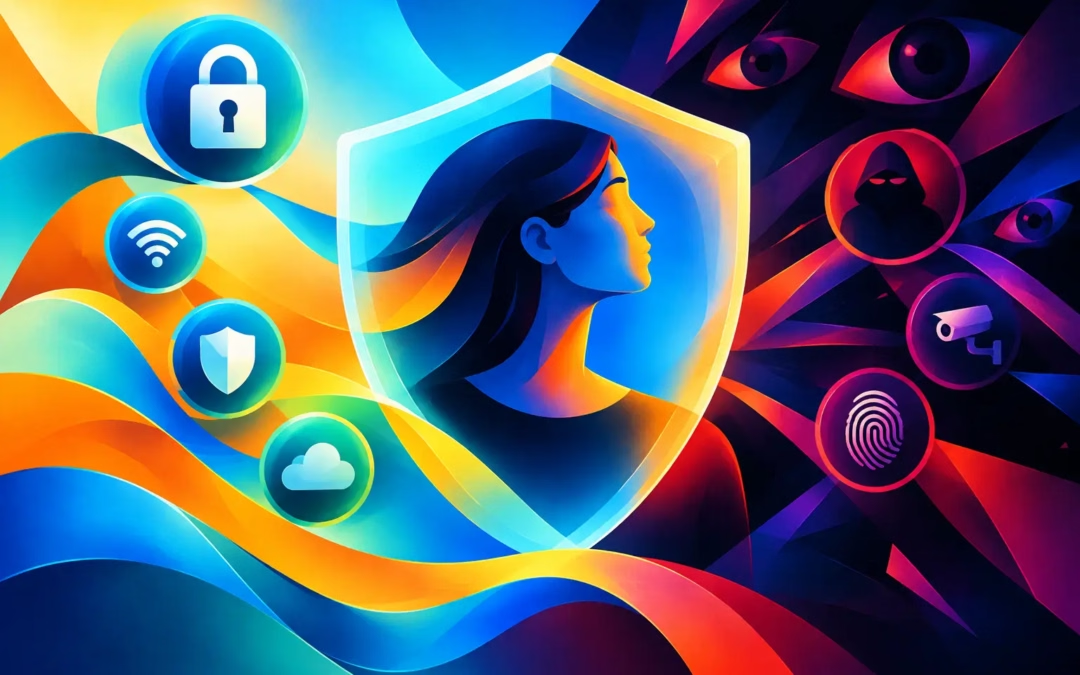
Your phone knows where you are. Your browser remembers what you searched for. A coffee shop Wi-Fi network may expose more than the menu you checked while waiting for your drink. That is why online privacy is not a niche concern for tech experts. It is a practical part of protecting your identity, money, conversations, and freedom to browse.
Privacy does not mean you have something to hide. It means you get to decide who sees your personal information, when they see it, and what they can do with it. Every account you sign into, app you install, and network you join creates another chance for advertisers, data brokers, fraudsters, or network operators to collect pieces of your digital life.
The good news is that meaningful protection does not require an enterprise security team. A few smart habits, paired with the right privacy tools, can make you far harder to track, monitor, or target.
What Online Privacy Actually Protects
Online privacy is often confused with secrecy. They are not the same thing. Secrecy is about keeping something completely unknown. Privacy is about limiting unnecessary exposure and maintaining control over information that belongs to you.
That includes obvious details such as your name, email address, payment information, and passwords. It also includes less visible data: your IP address, approximate location, browsing history, device type, shopping habits, search activity, and the sites you visit.
On their own, these details can seem harmless. Combined, they create a surprisingly detailed profile. A retailer may use it to push ads. A data broker may package it for sale. A criminal may use leaked fragments to make a phishing message feel convincing. Someone who knows your bank, recent purchase, hometown, and email address has a much easier starting point for a scam.
Privacy is also about reducing exposure on shared or public connections. When you use airport, hotel, cafe, or other public Wi-Fi, you do not control the network. A malicious actor on that network may look for weak connections, fake hotspots, or unprotected traffic. The risk is not a reason to stop traveling or working remotely. It is a reason to connect with more care.
Where Your Privacy Is Most Often Lost
Most privacy losses are not dramatic Hollywood-style hacks. They happen through ordinary online behavior and systems designed to collect data by default.
Tracking follows you across the web
Cookies, advertising pixels, browser fingerprinting, and mobile identifiers help companies recognize a device or connect activity across websites. Some tracking supports helpful functions, such as keeping items in a shopping cart. Other tracking exists mainly to build advertising profiles that follow you from one site to another.
Clearing cookies can reduce some tracking, but it is not a complete answer. Browser fingerprinting can use combinations of settings, fonts, screen size, time zone, and device characteristics to identify a browser with surprising accuracy. Private browsing mode can keep activity out of your local browser history, but it does not make you invisible to websites, internet providers, employers, or the network you are using.
Public Wi-Fi creates a trust problem
A public network may be convenient, but convenience is not the same as security. An attacker can create a hotspot with a believable name, hoping you connect to it. Even a legitimate network can leave you exposed if its setup is weak or if you accidentally visit an unencrypted site.
Avoid banking, entering payment details, or accessing sensitive work accounts on public Wi-Fi when you can use your cellular connection instead. If public Wi-Fi is necessary, use a VPN to encrypt your internet traffic between your device and the VPN server. That makes it much harder for people on the local network to inspect what you are doing.
Weak account security turns privacy into an open door
A password reused across multiple accounts is one of the most common ways a breach spreads. If one service suffers a data leak, criminals may try the same email and password combination on popular banking, shopping, social media, and email services.
Use a unique, long password for every account, ideally stored in a reputable password manager. Turn on multi-factor authentication wherever it is available, especially for email, financial accounts, and social platforms. Your email account deserves special attention because password reset links often land there first.
How a VPN Supports Online Privacy
A virtual private network, or VPN, creates an encrypted connection between your device and a VPN server. Instead of exposing your usual IP address to every website or network you use, the site sees the VPN server’s IP address. Your internet provider and local Wi-Fi operator can see that you are connected to a VPN, but they cannot easily read the details of the traffic traveling through that encrypted tunnel.
This matters when you want to browse more privately at home, use public Wi-Fi with greater confidence, or reduce the amount of location-based profiling tied to your usual IP address. A VPN can also help you access content that may be limited by region, depending on the service and local rules.
But honest privacy protection means being clear about the limits. A VPN does not make you magically anonymous. If you sign into a social network, online store, or email account, that service still knows it is you. If you share personal details in a public post, encryption cannot pull them back. Malware, phishing attacks, and weak passwords can still compromise your accounts.
Think of a VPN as a powerful shield for your connection, not a substitute for good judgment. It protects a crucial layer of your online activity while other habits protect the rest.
Features that matter when choosing a VPN
Not every VPN service offers the same standard of protection. Look beyond broad promises of privacy and focus on features that affect what happens to your connection in real use.
A no-log policy matters because a privacy service should not build a detailed record of where you go online. Strong 256-bit encryption helps protect data in transit. A kill switch is equally valuable because it can block internet traffic if the VPN connection drops unexpectedly, helping prevent your real IP address from being exposed for a moment when it matters most.
Server locations affect flexibility and performance. More options can help you find a fast connection and choose the virtual location that works for your needs. Device support matters, too. Privacy should not disappear when you switch from a laptop to a phone, tablet, or streaming device.
Surf Smart VPN brings these protections together with 256-bit encryption, a no-log approach, kill-switch protection, and coverage for up to six devices under one subscription. For households with multiple screens and a limited budget, that kind of coverage can be a practical way to keep privacy from becoming an expensive add-on.
Everyday Moves That Reduce Your Digital Exposure
A VPN is strongest when it is part of a wider privacy routine. Start by reviewing app permissions. A flashlight app does not need access to your contacts, microphone, and precise location. Remove permissions that do not match an app’s purpose, and delete apps you no longer use.
Be selective with what you post publicly. A photo can reveal a location, a travel plan, a workplace badge, a child’s school, or answers to common security questions. Before posting, consider what a stranger could learn from the background as well as the caption.
Keep your devices, browser, and apps updated. Updates often fix security flaws that attackers already know how to exploit. Enable automatic updates when possible so security does not rely on remembering another task.
Finally, treat unexpected messages with healthy suspicion. A text claiming there is a delivery problem, a security alert, or an urgent invoice may be trying to rush you into clicking. Open the official app or type the company’s address yourself rather than following a link from an unsolicited message.
Online Privacy Is a Daily Choice
No single setting can erase your digital footprint, and no privacy tool can make risky behavior safe. The goal is not perfection. The goal is to reduce unnecessary exposure, protect the connections you rely on, and make it harder for anyone to turn your personal data into profit or leverage.
Start with one useful change today: strengthen a reused password, turn on multi-factor authentication, review an app permission, or protect your next connection with a VPN. Small decisions made consistently give you more control over where your information goes and who gets to see it.