
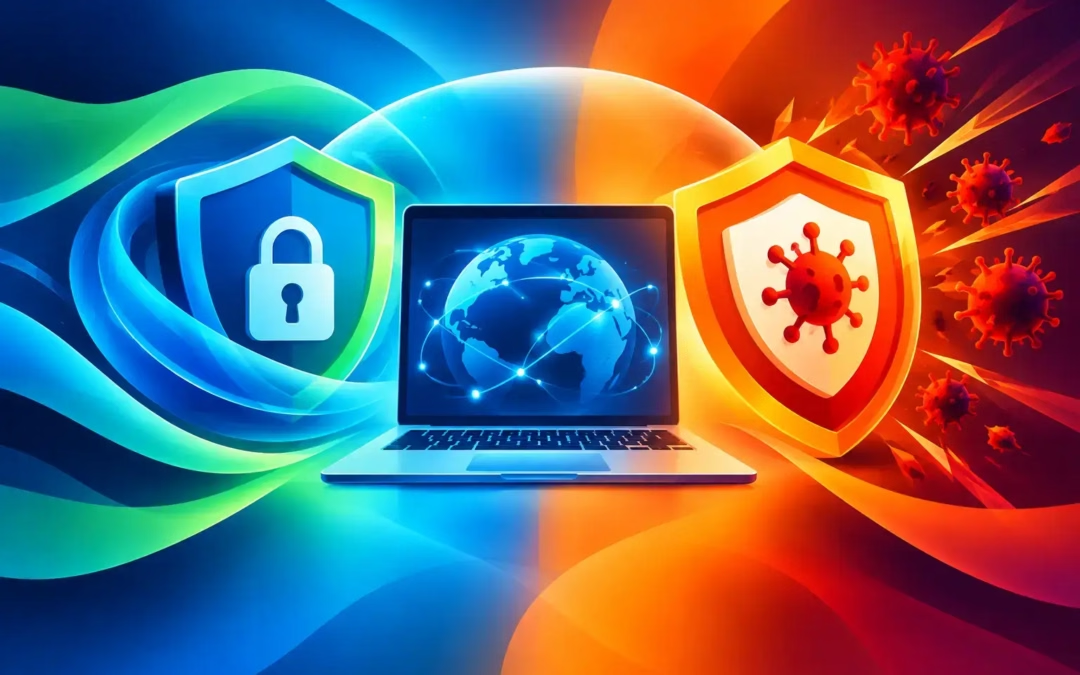
That airport Wi-Fi network may look harmless, but it can expose more than your boarding pass. Meanwhile, a convincing fake delivery email can slip past even a careful browser. The question of VPN versus antivirus software is not really about choosing one winner. These tools defend different parts of your online life, and understanding the difference helps you avoid a dangerous gap in your protection.
A VPN protects the connection between your device and the internet. Antivirus software protects the device itself from harmful files, programs, and suspicious activity. If you work remotely, stream on the go, shop online, or connect several personal devices every day, both can play a useful role.
VPN versus antivirus software: the core difference
Think of a VPN as a private, encrypted tunnel for your internet traffic. When you connect to a VPN server, your data is encrypted before it leaves your device, and websites see the VPN server’s IP address instead of your home IP address. This makes it much harder for people on the same public Wi-Fi network, internet providers, and other observers to see what you are doing online.
Antivirus software works closer to home. It scans files, apps, downloads, and system behavior for signs of malware. Depending on the product, it may detect viruses, ransomware, spyware, malicious browser extensions, phishing attempts, and programs that try to change important settings without permission.
The distinction matters because encrypted traffic is not the same thing as a clean device. A VPN can hide your IP address and protect data traveling through an untrusted network, but it cannot reliably stop you from opening a malicious attachment. Antivirus can flag that attachment, but it does not encrypt your browsing traffic or prevent a café Wi-Fi operator from seeing an unprotected connection.
What a VPN protects
A VPN is built for privacy, safer connections, and greater control over where your internet traffic appears to come from. Its most visible benefit is IP masking. Your IP address can reveal your approximate location and give websites, advertisers, and trackers another way to recognize your activity. Connecting through a VPN server replaces that exposed address with the server’s address.
Encryption is just as important. On public Wi-Fi at hotels, airports, coffee shops, schools, or shared workspaces, strangers may be able to exploit poorly secured networks. A VPN adds a protective layer around traffic from your device, reducing the chance that someone nearby can intercept sensitive information.
A quality VPN also protects you when your connection drops. A kill switch can block internet traffic if the VPN disconnects unexpectedly, so your real IP address does not suddenly become visible mid-session. This matters when you are handling personal accounts, communicating privately, or downloading files.
VPNs also give people more flexibility online. By connecting through servers in different locations, users may be able to access content that is restricted by geography or get around local network blocks. That can be useful for travelers trying to watch a service they pay for at home. It does not mean every platform will work in every location, and users should always follow applicable laws and service rules.
What a VPN does not do is inspect every file for malware, remove an existing virus, or guarantee that a fake website is safe. If a criminal convinces you to enter your password into a fraudulent page, a VPN cannot take that password back.
What antivirus software protects
Antivirus software looks for threats that have reached your computer or phone, or are attempting to do so. Traditional antivirus tools compare files against known malware signatures. Modern tools may also watch for suspicious behavior, such as a program rapidly encrypting personal files, accessing sensitive areas of your system, or installing unwanted software in the background.
This is especially valuable when downloading apps, opening email attachments, using USB drives, or visiting sites that may host malicious ads and deceptive downloads. Good antivirus software can quarantine a threat before it spreads, warn you about a risky file, and help remove malware already on a device.
Some antivirus packages include additional features such as phishing protection, password monitoring, firewall controls, identity alerts, or parental controls. Those features can be helpful, but they vary widely between providers. The essential purpose remains the same: find and stop malicious software before it steals, locks, damages, or spies on your data.
Antivirus has limits, too. It cannot make your browsing anonymous. It cannot change your IP address, encrypt all traffic on public Wi-Fi, or stop websites from building profiles based on the information you voluntarily provide. It is a digital security guard for your device, not a private tunnel for your connection.
Do you need a VPN and antivirus together?
For most people, yes. Using a VPN and antivirus together creates layered protection, which is far stronger than relying on one tool to handle every risk. The two services are not duplicates. They cover separate attack paths.
Imagine you are using hotel Wi-Fi to check your bank account, then downloading a document sent by a new client. A VPN helps protect the banking session from exposure on the network. Antivirus helps assess whether the downloaded document contains malicious code. One secures the journey; the other helps defend what arrives on your device.
The same logic applies at home. Home Wi-Fi may be safer than an open hotspot, but it does not remove privacy concerns, tracking, phishing, compromised websites, or accidental malware downloads. Your internet provider may still be able to observe unencrypted browsing patterns, and websites can still associate activity with your regular IP address. A VPN adds privacy protection, while antivirus remains on watch for threats that target the device.
There are cases where one matters more immediately. If you only have room in your budget for one security purchase and your computer shows signs of malware, antivirus should be urgent. If your devices are clean but you regularly use public Wi-Fi, travel, torrent, or want to limit IP-based tracking, a VPN should move to the top of your list. Over time, however, treating this as an either-or choice leaves a blind spot.
How to choose without paying for features you do not need
Start with the risks you actually face. People who frequently use public networks should prioritize a VPN with strong encryption, a no-log policy, a kill switch, and apps for every device they use. If you switch between a phone, laptop, tablet, and smart TV, multi-device coverage prevents you from protecting only part of your digital life.
For antivirus, look for real-time protection, regular updates, clear malware detection tools, and compatibility with your operating system. Avoid turning off security warnings simply because they are inconvenient. A security tool that is never updated is not much of a shield.
Be realistic about performance as well. VPN encryption can sometimes reduce connection speeds, particularly when you connect to a distant server. Antivirus scans can use system resources, especially on older devices. Reputable services should let you choose nearby servers, schedule scans, and adjust settings without requiring technical expertise.
Price matters, but free is not always the same as protected. Some free VPNs limit data, locations, and features, while others may rely on advertising or collect more information than privacy-focused users expect. Low-cost paid services can offer a clearer privacy model and useful features such as 256-bit encryption, daily support, and a kill switch without turning online safety into an expensive subscription stack.
Everyday habits still make the difference
Neither VPN nor antivirus software can protect a password you reuse across every account. Use unique passwords, turn on multi-factor authentication where available, install operating system updates promptly, and pause before opening unexpected links or attachments. Criminals often target people, not just devices.
Also remember that a padlock icon in a browser does not prove a site is trustworthy. It only indicates that the connection to that site is encrypted. Scam sites can use encryption too. Check the address carefully, avoid entering sensitive information from unsolicited messages, and contact businesses through their official apps or known phone numbers when something feels off.
Privacy and security work best as a routine, not a one-time purchase. Antivirus helps keep hostile software off your devices. A VPN helps keep your online identity and traffic less exposed wherever you connect. For affordable, everyday privacy across up to six devices, Surf Smart VPN gives you a practical way to browse, stream, and use public Wi-Fi with 256-bit encrypted protection – and a 24-hour free trial lets you test that protection before committing.